We provide you with access to our secure portal – the Greenback Tax Companion – which is protected by the same 256-bit encryption you would find on any international bank’s website. This portal will be used by you and your Greenback accountant to securely exchange information. We do not recommend emailing sensitive tax documents, as email is not a secure form of communication.
Please do not attempt to upload files from Internet Explorer, our system is not compatible with this browser. Also, for best results please make sure to utilize a desktop computer and not a mobile device.
From the homepage of your Tax Companion, please select the “Files” option on the dashboard:

From there, you will be taken to your files where you can upload documents by selecting the “upload files” icon:
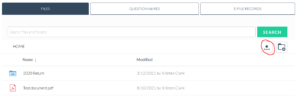
After clicking this option, you will be able to browse your device for the files you need to upload:
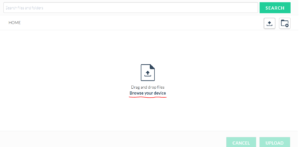
Once you select the file you want to upload, be sure to select “Upload.”
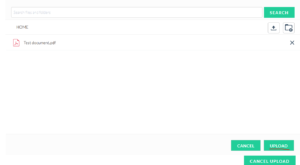
You will receive a “success” notification once the file has been uploaded and be able to view it from your main file page.
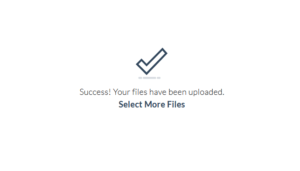
That’s it! You’re one step closer to filing your tax return.
If you have any questions or need any support at all, you are welcome to reach out to help@greenbacktaxservices.com or start a chat on our website!