Your final tax returns will be found in the “Files” section of your Greenback Tax Companion portal. Your accountant will upload the final copy once your returns are accepted by the IRS.
To access the folder, simply log into your Greenback Tax Companion Account and click “Files” (main toolbar, on the right side of the screen)
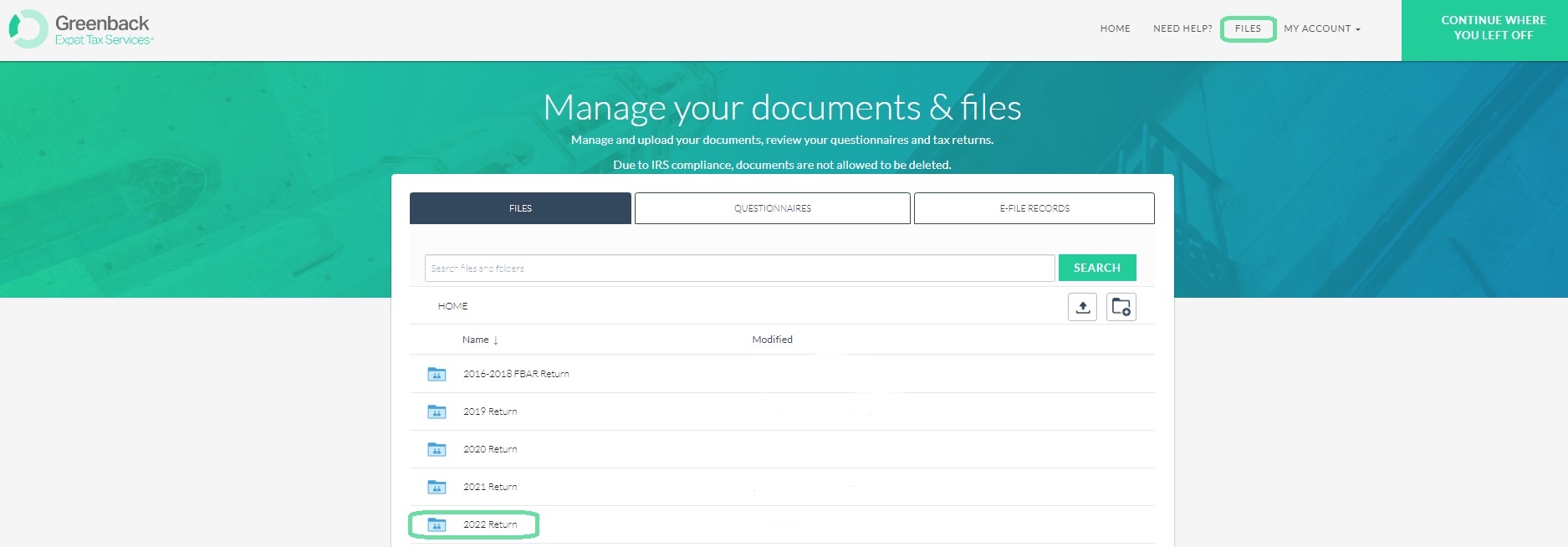
Generally, your accountant will upload your final returns to the folder labeled with the corresponding tax year.
If you have any questions or need any support at all, you are welcome to reach out to help@greenbacktaxservices.com or start a chat on our website!