What does "Doc 100%" mean?
It means you have completed all sections of your tax questionnaire, but your information has not yet been submitted to your accountant for review. You need to complete one more step - signing the Acknowledgment of Engagement - before your accountant can start preparing your return.
Why hasn't my accountant started yet if I'm at 100%?
Your accountant cannot begin preparing your return until you review and sign the Acknowledgment of Engagement. This is a required step that confirms your engagement with Greenback. Once you complete it, your status will update, and your accountant will be notified.
How do I submit my tax information for an accountant review?
1. Log in to your account and click the Continue Where You Left Off button.
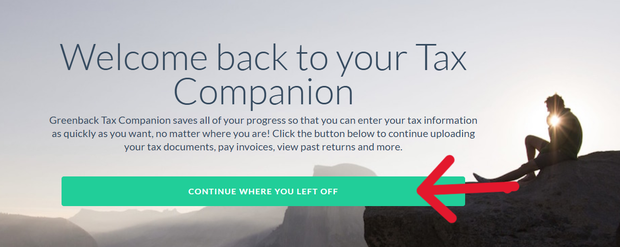
Click Continue Where You Left Off on your dashboard.
2. In the left-side navigation, click 10. Acknowledgment of Engagement.
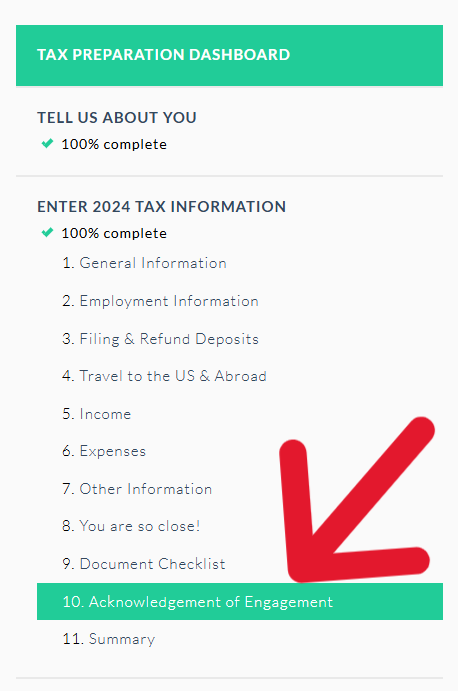
Navigate to section 10 in the left-hand menu.
3. Read and review the Acknowledgment of Engagement document on screen.
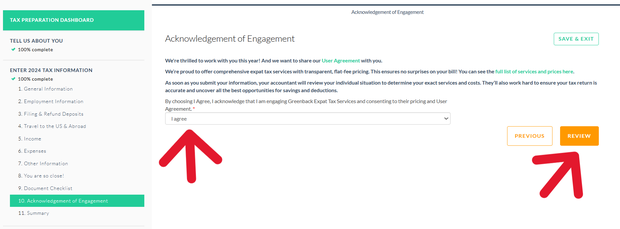
Review the Acknowledgment of Engagement carefully before signing.
4. Review your Tax Return Summary, then click the Submit button to send your information to your accountant.
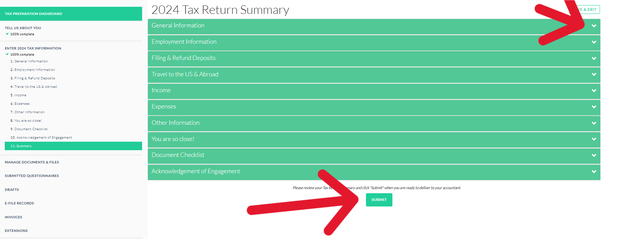
Click Submit to send your completed information to your accountant.
How do I know my submission was successful?
After submitting, your dashboard will update to show "Accountant Reviewing," confirming that your accountant has received your information.
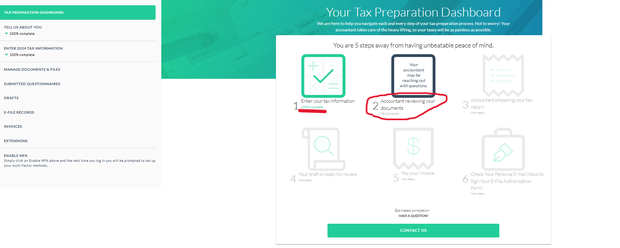
Dashboard showing Accountant Reviewing status.